Notices patients actually read.Not another sheet taped to the wall.
WallKiwi makes GP surgery notice boards. Paste your practice's own opening times, clinics and numbers and it designs a waiting room board around them, keeping every time and phone number exactly as you typed it. Print it on A4, cut it out and put it up where patients look first.
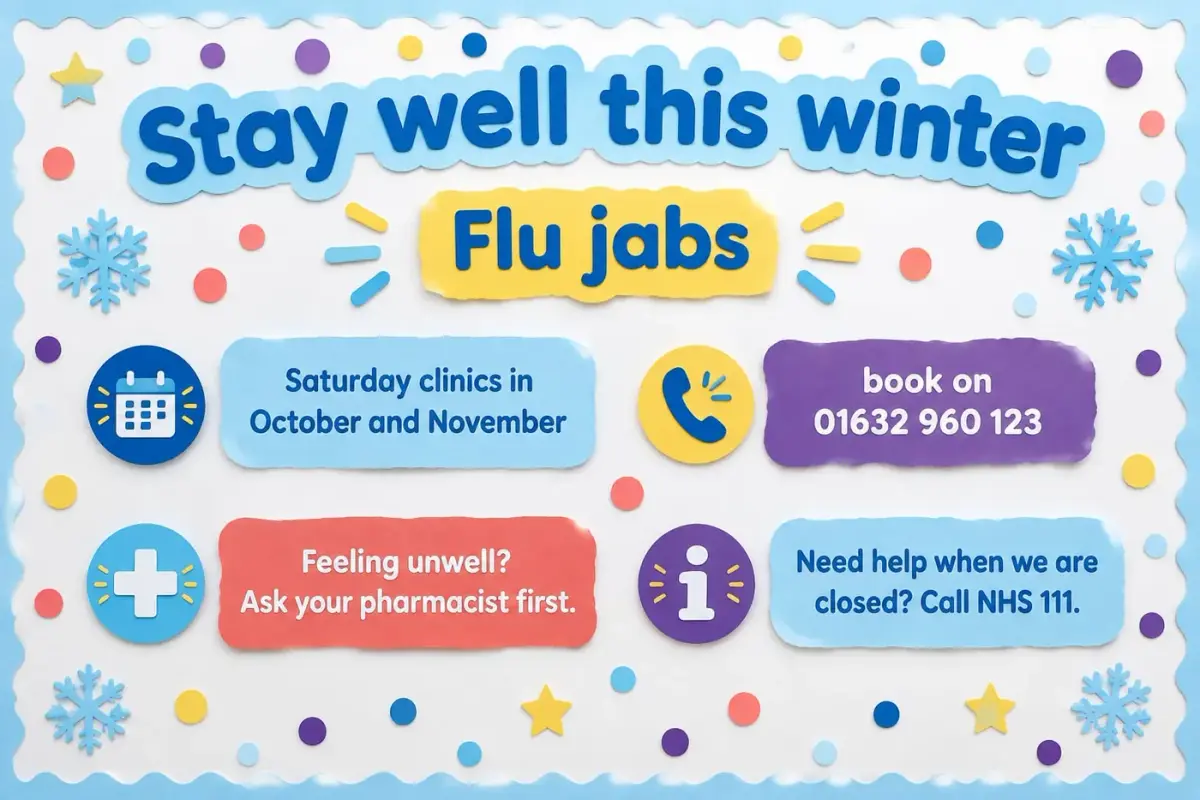
A waiting room board, from the practice's own words
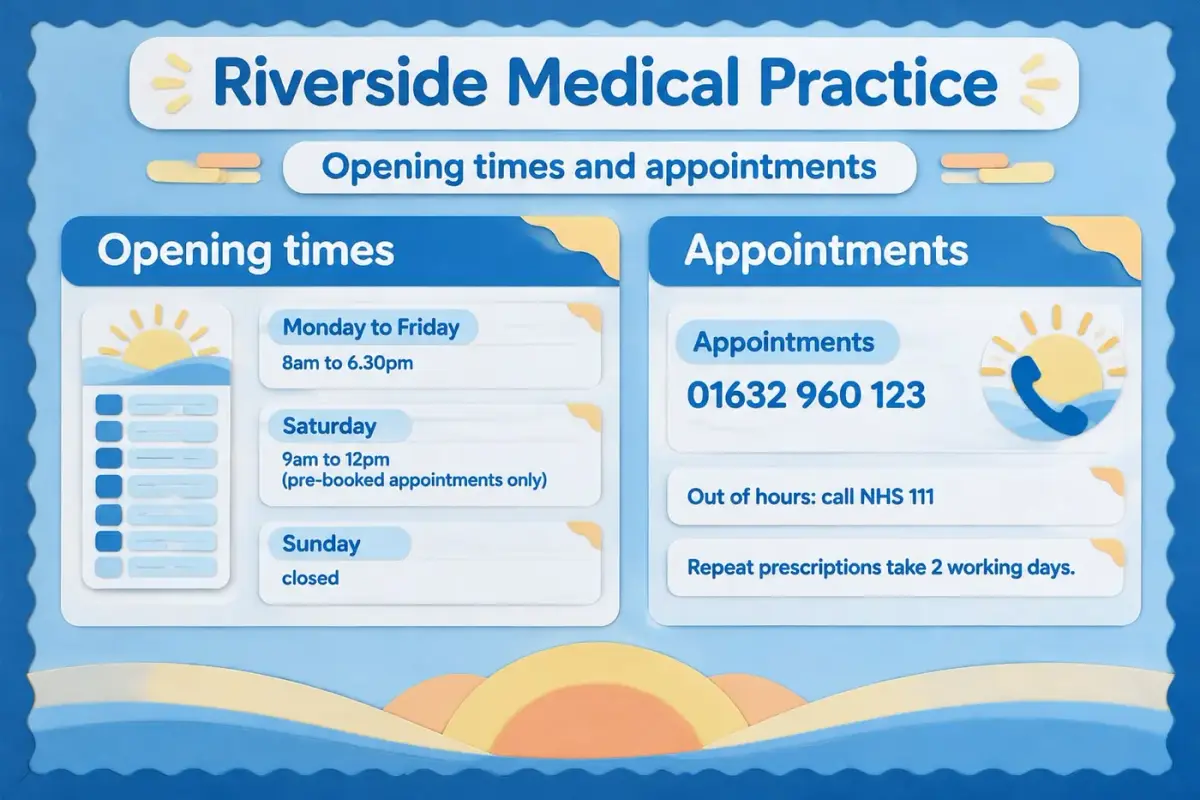
This is the sentence that made it. The hours, the appointment number and NHS 111 printed exactly as typed.
Riverside Medical Practice Monday to Friday: 8am to 6.30pm Saturday: 9am to 12pm (pre-booked appointments only) Sunday: closed Appointments: 01632 960 123 Out of hours: call NHS 111 Repeat prescriptions take 2 working days. Make the whole board bright NHS blue and white, with blue panels and white cards, crisp and clinical but friendly.
The hours, the appointment number and NHS 111 print exactly as typed. The maker adds no fact of its own.
What should be on a GP surgery notice board?
Patients look for the same few things. Put them in the order people need them, with the question asked most often at the top.
Opening times and how to get help
The practice's hours, how to book, and where to go when you are closed. This is the section people read first, so it gets the biggest space.
Who is who
The practice team by role, with photos if your staff are happy to be shown. It helps patients know who they are about to see.
Clinics this season
Flu clinics, vaccination days and health checks. Dates and times have to be right, so paste them from the practice's own diary rather than retyping them.
How to do things
Repeat prescriptions, test results, online services and how to give feedback, each in two or three short lines rather than a paragraph.
Your patient group and local support
The patient participation group, carers' support and the local services the practice already points people to.
Made for the people who keep the waiting room tidy
Practice managers
One board in the practice's look, rebuilt in minutes when hours change.
Reception teams
Fewer "what time do you close?" questions at the desk.
Pharmacies and clinics
Opening hours signs and clinic days, printed the same way.
Patient groups
A tidy space for the patient participation group and local support.
Keep the board right all year
- 1
Hang the essentials at seated eye level: most people read a waiting room board sitting down.
- 2
Keep what rarely changes on one board and this season's clinics on a smaller one, so you only reprint the part that changes.
- 3
Print lettering and headers on card, around 160gsm, so they stay flat behind glass or on a pinboard.
- 4
Write the date you last checked the board in a corner, and check it again whenever hours or clinics change.
GP surgery notice board questions
What practice managers and reception teams ask before they make one.
What to put on it
What should be on a GP surgery notice board?
Opening times and how to get help when you are closed come first, then how to book, repeat prescriptions, this season's clinics and who is who in the practice team. Keep each section to a few short lines so people sitting in the waiting room can read it at a glance.
How do you make a waiting room notice board look professional?
Use one design across every piece, keep the most asked question at the top in the largest type, and leave space between sections. WallKiwi designs every header, card and border in one look, so the board reads as one notice rather than a collection of printed sheets.
What information must a GP practice display?
Check NHS England and your commissioner for what your practice must show, such as how to complain or give feedback. WallKiwi does not look anything up or decide what is required, so paste the practice's own wording and use official NHS materials for any health message.
Can I put health advice on the board?
Use the practice's own wording and official NHS materials for anything clinical, and paste them in as written. WallKiwi lays out the words you give it and does not write or check health advice, so it never adds a claim of its own.
Getting the details right
Will it change our phone numbers or opening times?
No. Every time, date, phone number, price, postcode, email and web address on the design must match what you typed. Anything that does not match is sent back for one redesign, then removed with a note telling you what was taken off.
How do I update the board when our hours change?
Change the hours in your description and make the board again, or print just the sheet that changed. Keeping the parts that rarely change on one board and this season's clinics on a smaller one means you only reprint the part that moves.
Can we rebuild the board we already have?
Yes. Add a photo of your current board instead of a description and WallKiwi rebuilds it as a printable pack. Add notes with the photo to say what should change, such as new opening hours or a new clinic.
Can we add photos of the practice team?
Yes. Ask for a space under each name in your description, such as "leave a space for a photo", then stick your own staff photos in after printing. Only show people who are happy to be on the board.
Printing and putting it up
What do we print a surgery notice board on?
Ordinary A4 printer paper works for every sheet. Print at 100%, never fit to page, and use card, around 160gsm, for headers and lettering so they stay flat behind glass or on a pinboard.
How do I print a notice bigger than A4?
Pieces wider than A4 are split across sheets with trim lines. Trim each sheet, butt the edges together and tape them from behind, and the assembly guide that prints first shows where every piece goes.
Where should a waiting room board hang?
Hang the essentials at seated eye level, because most people read a waiting room board sitting down. Keep it away from the door draught and out of direct sun so the paper does not curl or fade.
How long does it take to make a surgery notice board?
Usually a few minutes. WallKiwi draws three looks in about half a minute to a couple of minutes, then makes every piece once you have chosen one and checked the words. You can leave the page and come back to a finished pack.
Can a pharmacy or dental practice use it too?
Yes. Any opening hours sign or patient information board works the same way: describe it, paste your own details, check the words and print. A short sign simply comes back with fewer pieces.
Boards for other places
Make your waiting room board
Paste your practice's own details. Every time and number stays exactly as you typed it.