A notice board people stop at.Even with no designer.
WallKiwi makes notice boards for community centres and village halls. Type what's on, when and where, and it turns it into a designed board for the hall: events, groups, opening times and who to call. Every date, price and phone number prints on A4 exactly as you wrote it.
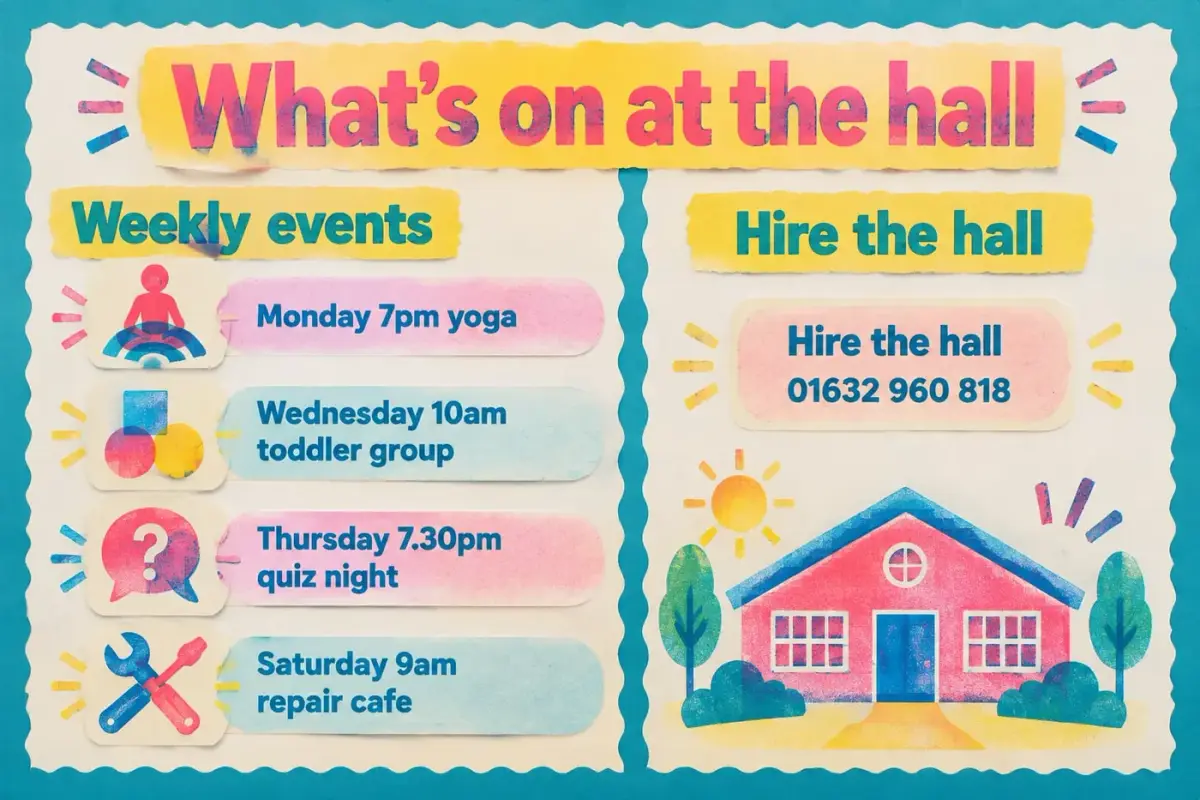
What to put on a community notice board
A good community board answers three questions fast: what is on, when, and who do I ask.
What's on
Events in date order, with the day, time and place on one line each. Take each one down once it has passed.
Regular groups and clubs
What meets each week, when, where and who it is for, and whether beginners are welcome.
Who to contact
A name or role and one way to get in touch for each group. One number per group reads more easily than a long list.
Help and support
Support groups, advice sessions and helplines your organisation already works with, with when and where they meet.
How to add a notice
Who looks after the board and how to ask for something to go up. A board with a named keeper stays current.
Village hall notice board ideas
Each one opens the maker with the words already typed, ready to change to your own.
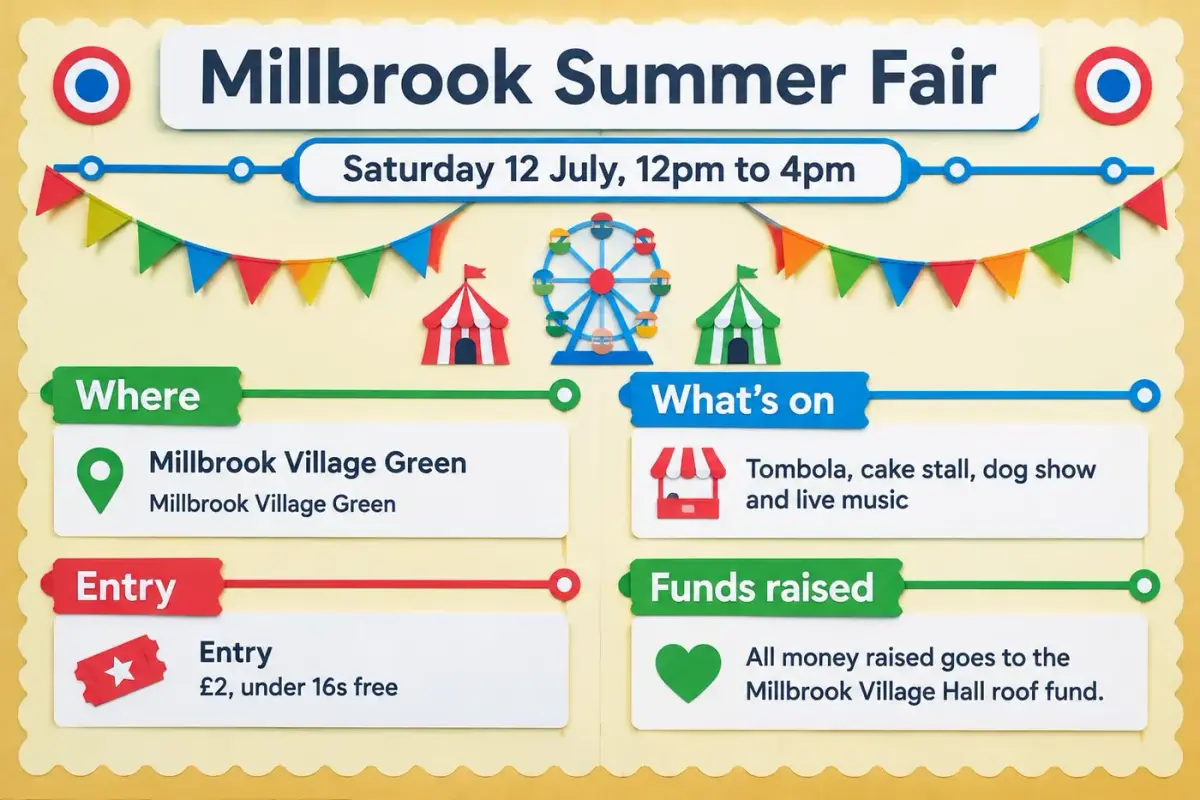
An event board, from one paragraph
The date, the times, the prices and the cause all printed exactly as typed. Nothing was added that wasn't in the sentence.
Millbrook Summer Fair Saturday 12 July, 12pm to 4pm Millbrook Village Green Tombola, cake stall, dog show and live music Entry £2, under 16s free All money raised goes to the Millbrook Village Hall roof fund. Make the board bright and colourful like a summer fete, with rainbow bunting.
The date, the times and the £2 entry print exactly as typed, and the event name gets the biggest letters.
From a sentence to a board on the wall
- 1
Describe it
Type what the board is for and paste your own details: times, dates, names and numbers. Or start from a photo of a board you already have.
- 2
Pick a look and check it
WallKiwi designs three looks. Choose one, then read back every word before any piece is made.
- 3
Print, cut, put up
Every piece comes on A4 with an assembly guide first. Print at 100%, cut along the lines and pin it up.
Community notice board questions
What hall committees and volunteers ask before they make one.
Ideas and layout
What should go on a community notice board?
What is on this week, regular groups with their days and times, how to hire the hall, who to contact and any upcoming events. Put the next event at the top in the largest type and keep each section to a few short lines.
What are good village hall notice board ideas?
An upcoming events panel, a weekly groups timetable, hall hire prices and how to book, a volunteers wanted card and a thank you to supporters all work well. Pick the two or three most asked questions and give them the most space.
How do I make a community notice board look good?
Use one design across every piece, a clear title, and plenty of space between notices. WallKiwi designs the headers, cards and borders in one look, so the board stops looking like a pile of different posters.
How do you stop a notice board getting cluttered?
Give each kind of notice its own section, add a date to everything and clear out anything that has passed every week. A designed board with fixed sections makes it obvious where a new notice goes and when an old one should come down.
Getting the details right
Will it change our dates or prices?
No. Every date, time, price, phone number and web address on the design must match what you typed. Anything that does not match is redesigned once, then removed, and you are told what was taken off.
Can I make a poster for one event?
Yes. Describe the event with its date, time, place and prices and WallKiwi designs a poster board for it. A single event simply comes back with fewer pieces than a full notice board.
Can I start from a poster we already have?
Yes. Add a photo of your current board or poster instead of a description and WallKiwi rebuilds it as a printable pack. Add notes with the photo to say what should change, such as a new date.
Do I need any design skills?
No. You describe what the board is for and paste your details, then choose from three designed looks. You check every word before anything is made, so the only skill needed is knowing what's on.
Printing and putting it up
What paper should I print a notice board on?
Ordinary A4 works for every sheet. Print at 100%, never fit to page, and use card for headings and lettering if the board is outside a glass case, so they stay flat and last longer.
How do I make a notice board for an outdoor case?
Print headers and cards on card, cut them out and fix them inside the case with pins or double sided tape. Paper behind glass fades in direct sun, so it is worth reprinting the sheets that change most often.
How long does it take to make a village hall notice board?
Usually a few minutes. WallKiwi draws three looks in about half a minute to a couple of minutes, then makes every piece once you have chosen one. You can leave the page and come back to a finished pack.
Can I download the board again next year?
Yes. Everything you make stays in your library, so you can download it again, or change the dates and make it again for next year's event.
Is there a free example I can look at first?
Yes. Opening and downloading the example packs is free and uses no credits, so you can see exactly what a finished pack looks like before you make your own.
Boards for other places
Make your hall's notice board
Type what's on. WallKiwi designs it, and every date and price stays exactly as you wrote it.